
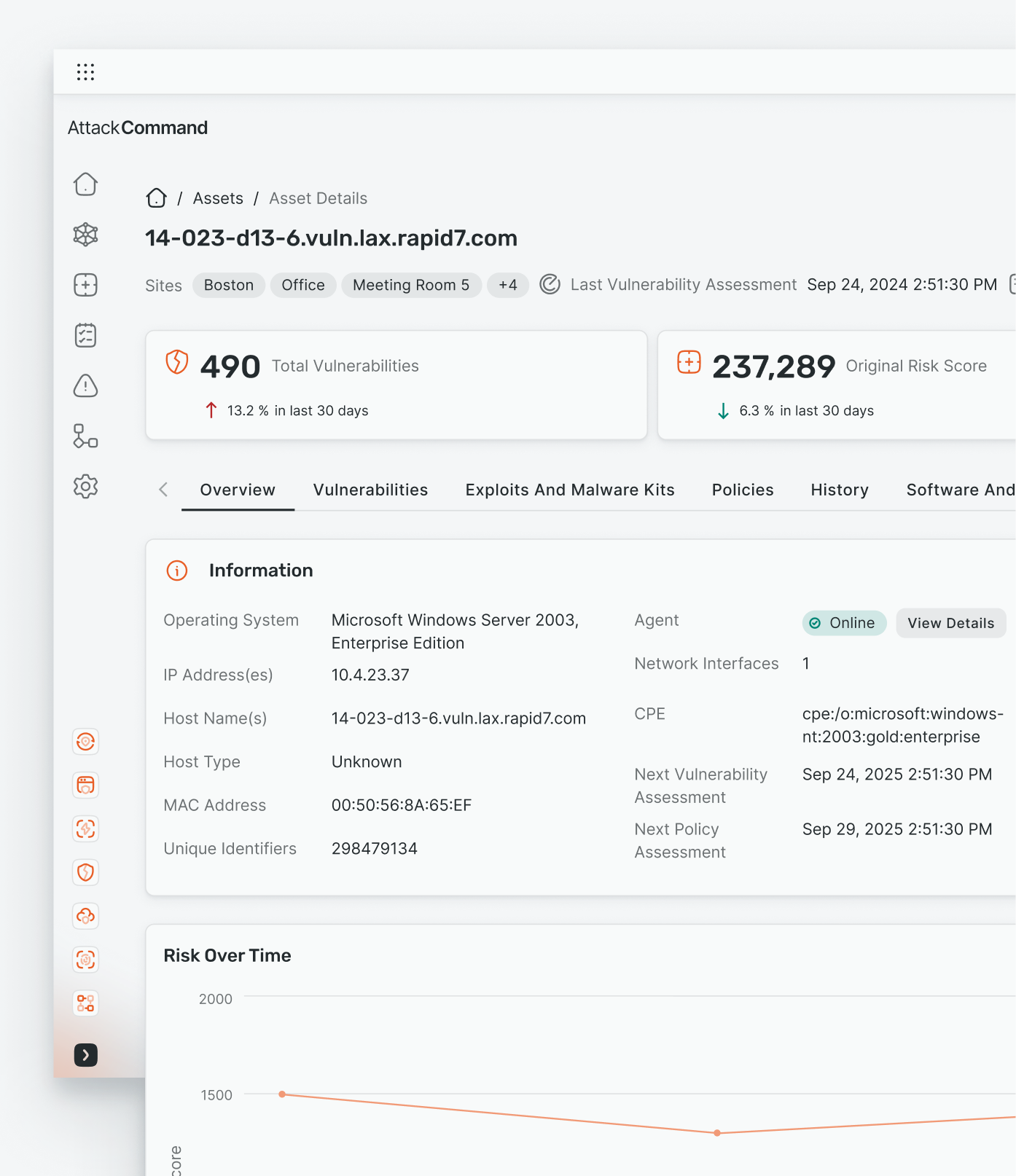
‘Asset Details’ MUI Migration and Unification
The MUI migration project was a company-wide initiative to migrate all experiences across the platform to Google’s MUI component library, with internal design system styling. The goal of this initiative was to migrate all current experience with a template-based approach, leading to the consistency of experiences across products, enabling the aggregation of all the cyber security offerings into a singular platform.
Industry
Cyber-security
Year
2024-2025
Background
The decision was made by engineering partners to migrate the EA interface only for better integration with our cloud infrastructure based platform, however the majority of our customers rely on Console based asset details to manage on-premise assets due to it’s more in-depth asset view. The EA-based view lacked key asset information, this gap posing increased risk to user workflows and security environments.
The Problem
The decision was made by engineering partners to migrate the EA interface only for better integration with our cloud infrastructure based platform, however the majority of our customers rely on Console based asset details to manage on-premise assets due to it’s more in-depth asset view. The EA-based view lacked key asset information, this gap posing increased risk to user workflows and security environments.
Potential Impact
Users would be unable to find essential asset data, leading to confusion, incomplete assessments, and the potential for increased risk to security environments.
Previous ‘Console’ and ‘Cloud’ Interfaces: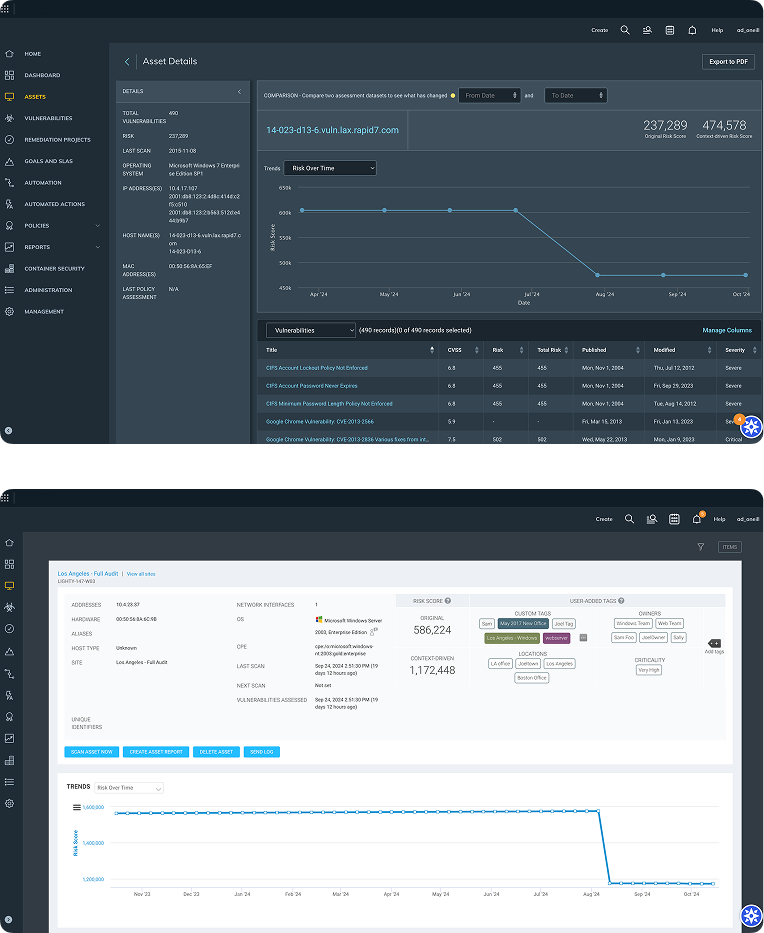
The Process
As the UX designer on the project, I:
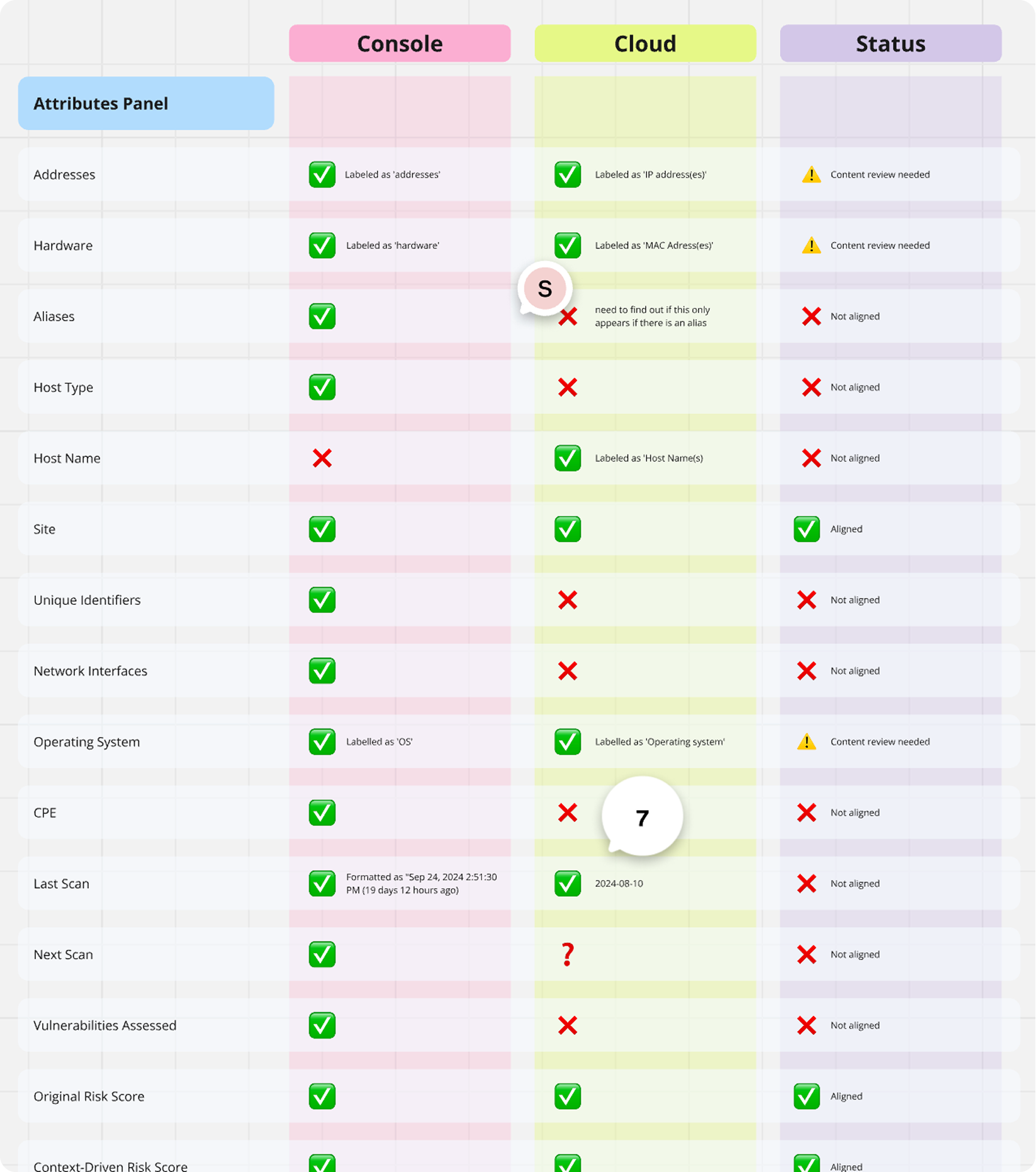
Identified critical gaps between the EA and console based asset view through comparative analysis and customer feedback.
Partnered cross-functionally with product managers and engineers to align on user needs.
Advocated for data parity between systems to preserve essential workflows.
My Role
To ensure a successful migration of the experience to MUI, my work on this project entailed:
Data Audits comparing Console vs. EA interfaces
Internal SME Interviews to uncover pain points in the EA experience
Workflow Mapping to understand how asset data supports investigation and remediation
Collaborative Workshops to prioritise missing data and UX improvements
Design the new EA Asset Details experience using MUI components and RDS templates.
My Approach
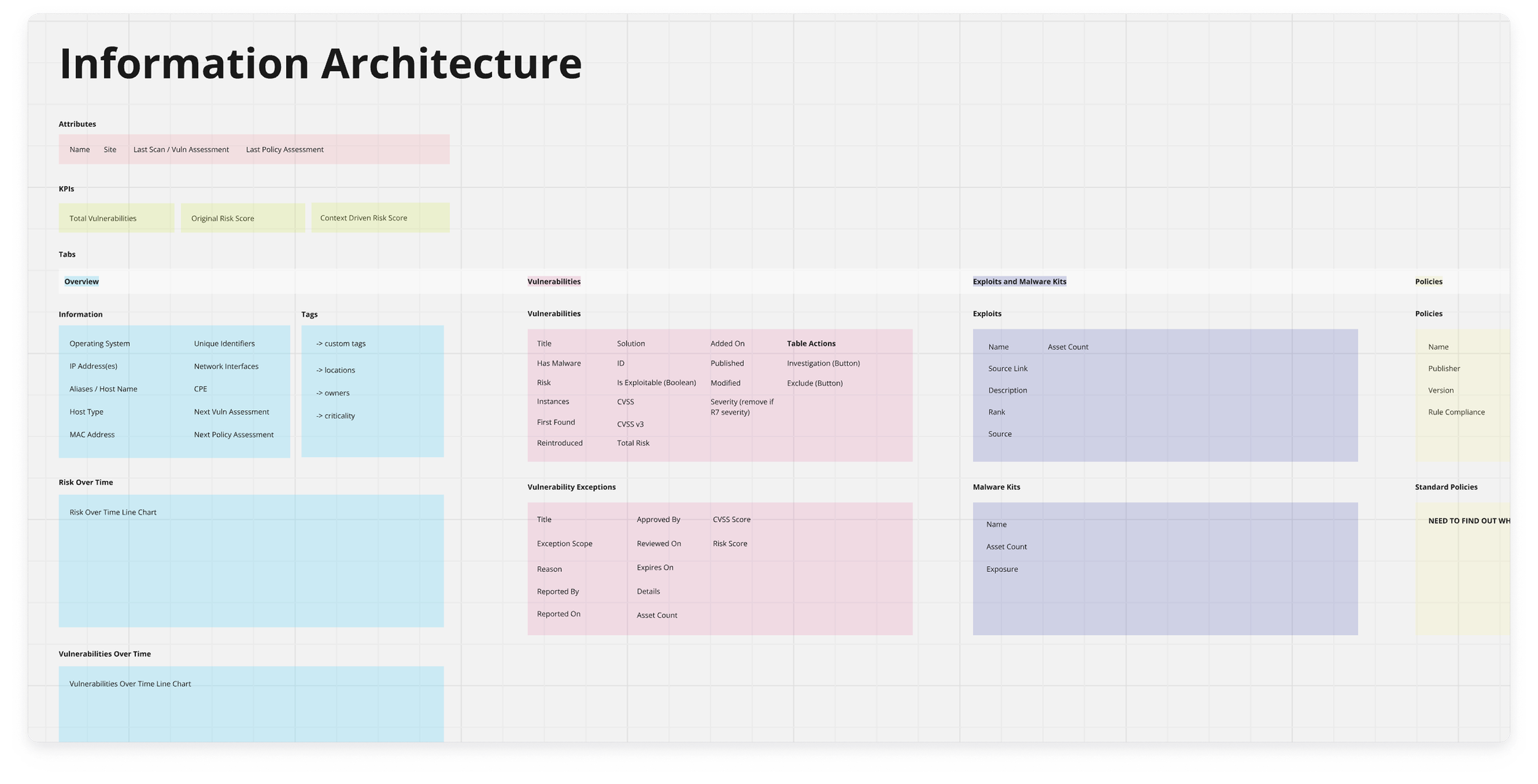
I created clear and understandable artefacts in which I could demonstrate the gaps in data I discovered between these experiences, to collaborate cross functionally across PM and Engineering. I did this to advocate for users existing workflows by demonstrating the need to bring more granular Console data up to EA. I designed a new IA for this MUI uplift as I was unifying two very complex and differing experiences.
The Outcome
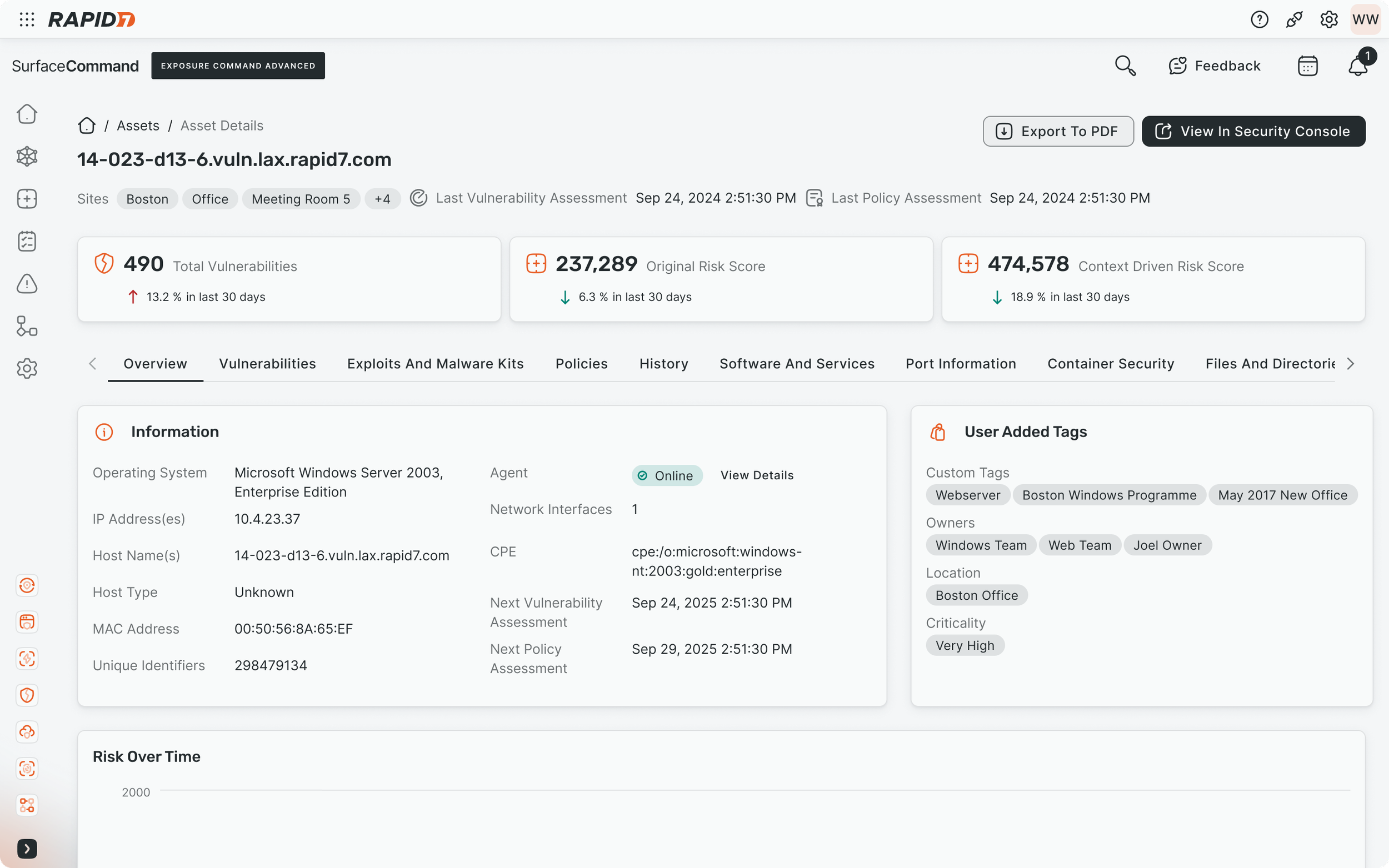
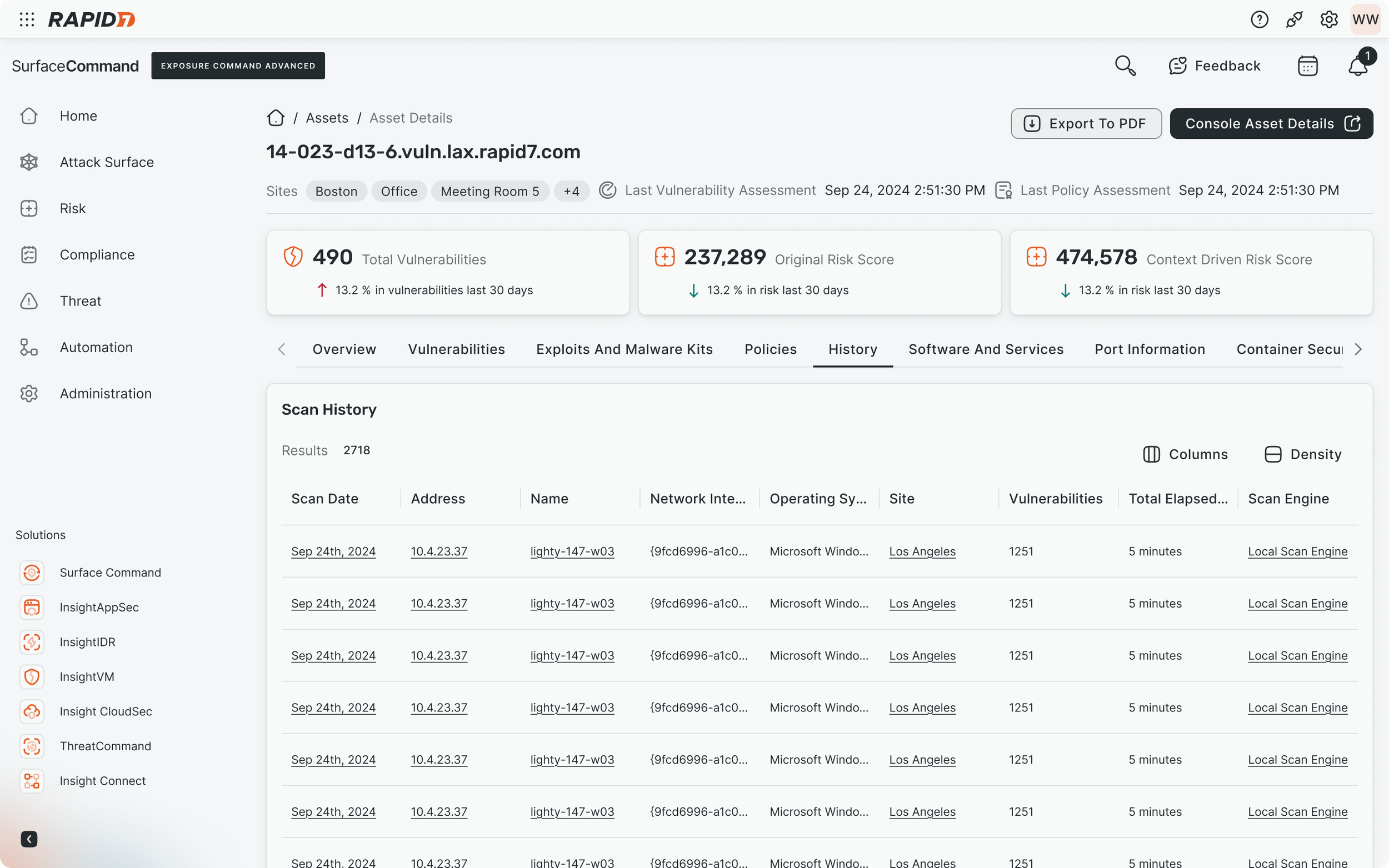
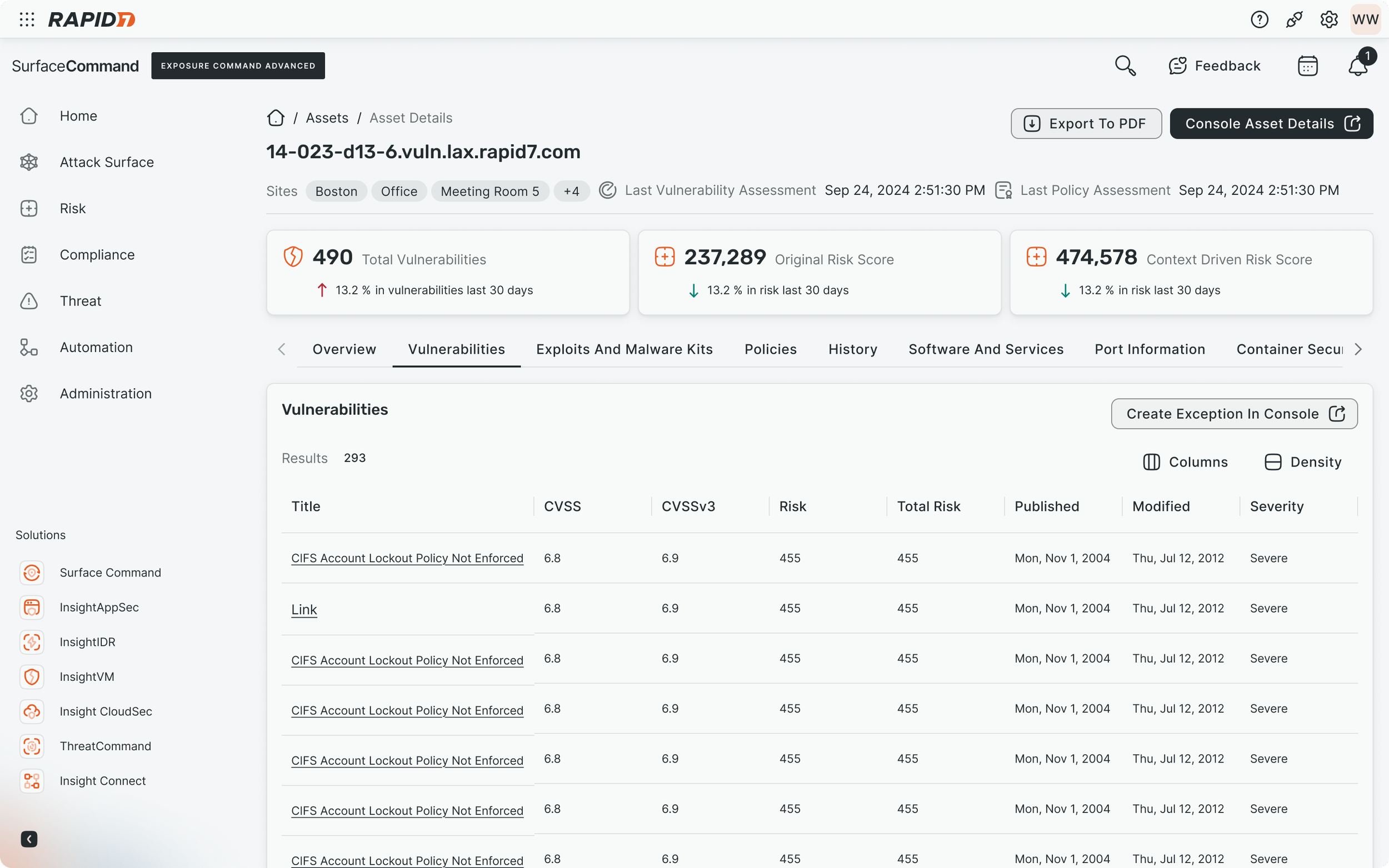
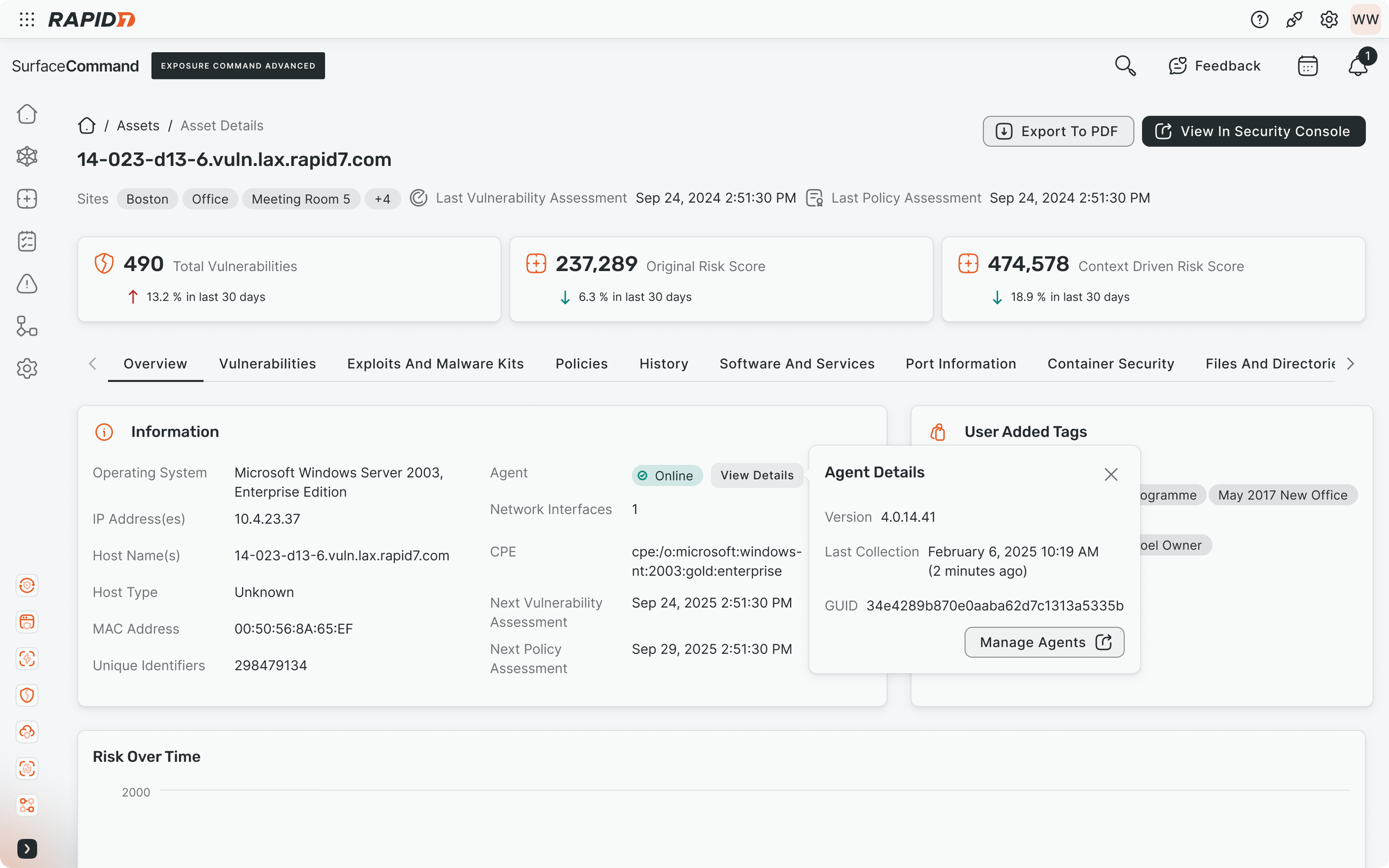
A selection of screens from the experience:
Ensured inclusion of previously missing asset attributes in the EA interface
Prevented workflow disruption for users managing on-prem environments
Strengthened trust in our tools cloud-based experience, supporting long-term migration goals.
Designed a new experience in line with the internal design system templates in order to support consistent experiences across Rapid7 offerings, supporting business and product strategy (building the unified security platform)
Successes
This aspect of the MUI migration project highlighted the importance of UX advocacy in large architectural shifts. By engaging cross-functionally early and often, I helped bridge the gap between platform strategy and user needs—ensuring functionality wasn't sacrificed in the pursuit of modernisation and standardising experiences.